Orders coming through different channels
Managing customer requests from phone calls, walk-ins, and online ordering channels can make it harder to maintain one organized view of incoming orders.
Digital ordering and a connected pickup workflow for quick-service teams.
Keep your quick-service operations moving with Menu Zyka?s QR Ordering & Quick Service POS software. Give customers a convenient way to browse your menu and place takeaway/self service orders through your Branding link or QR code, while your team manages incoming orders, kitchen preparation, and collection through a connected workflow.
From fast-food outlets and pizzerias to cloud kitchens and takeaway counters, Menu Zyka helps you organize the journey from order placement to pickup.
2 × Classic pizza
1 × Garden burger
2 × Classic pizza
1 × Garden burger
Quick-service restaurants handle a steady flow of takeaway orders and walk-in customers. When order details are scattered across phone calls, messages, and paper notes, keeping track of every order can become challenging.
Menu Zyka brings digital ordering and quick-service order management into a connected workflow. Customers can place orders through a QR code, while your team manages progress from acceptance and preparation to readiness and collection.
With supported options for minimum order values, packaging charges, preparation-time estimates, and scheduled pickup, your business can organize each stage of takeaway service more clearly. Menu Zyka supports cloud kitchens, pizzerias, fast-food restaurants, and takeaway outlets.
A quick-service workflow, designed around takeaway and collection.
Clear handoffs help your team stay aligned when the counter gets busy.
Managing customer requests from phone calls, walk-ins, and online ordering channels can make it harder to maintain one organized view of incoming orders.
Staff need to know whether an order is waiting for acceptance, being prepared, ready for pickup, or already collected. Without a clear process, keeping customers and the kitchen aligned can become difficult.
Takeaway businesses may need minimum order values and packaging charges to match their operating requirements. Applying these rules consistently is important for a well-organized checkout process.
Orders can have different preparation times, and customers may want to collect them later. Managing preparation estimates and scheduled pickup requests helps the team plan the order workflow more clearly.
Bring the guest ordering experience and the staff workflow together in two connected parts.
Give customers a clear way to explore your menu and place takeaway orders through your branded ordering link or QR code. Provide access to digital ordering without relying entirely on phone-based orders.
Manage incoming orders through a structured lifecycle: Pending, Accepted, Preparing, Ready, and Collected. Connect order details with the kitchen through KOT routing to help your team coordinate preparation and pickup.
Follow each order through supported status stages, from pending and acceptance to preparation, readiness, and collection. Give your team a clearer view of the work that remains.
Configure minimum order requirements, packaging charges, and preparation-time estimates to suit your business’s takeaway workflow.
Support future pickup scheduling so customers can request a collection time in advance, helping your team organize preparation around upcoming orders.
A clear journey for your customer, counter team, and kitchen.
Add your menu information, including dishes, categories, prices, and available images. Configure your branded ordering link or QR code according to your Menu Zyka setup.
Customers access your ordering channel, explore the available menu, select items, and submit their takeaway order through the enabled ordering flow.
Your team reviews incoming orders and updates their status through the order-management workflow.
Once accepted, orders move through the preparation process. KOT routing helps communicate the relevant order details to the kitchen.
Update the order status as preparation progresses and mark it ready when the order can be collected. Complete the workflow when the order has been collected.
Organize the path from digital order to collection, whatever your quick-service menu looks like.
 Cloud kitchens
Manage incoming digital orders and kitchen preparation through a structured workflow, helping your team keep takeaway operations organized.
Explore solutions for Cloud kitchens Pizzerias
Handle takeaway orders for pizzas and accompanying items while organizing preparation and pickup status.
Explore solutions for Pizzerias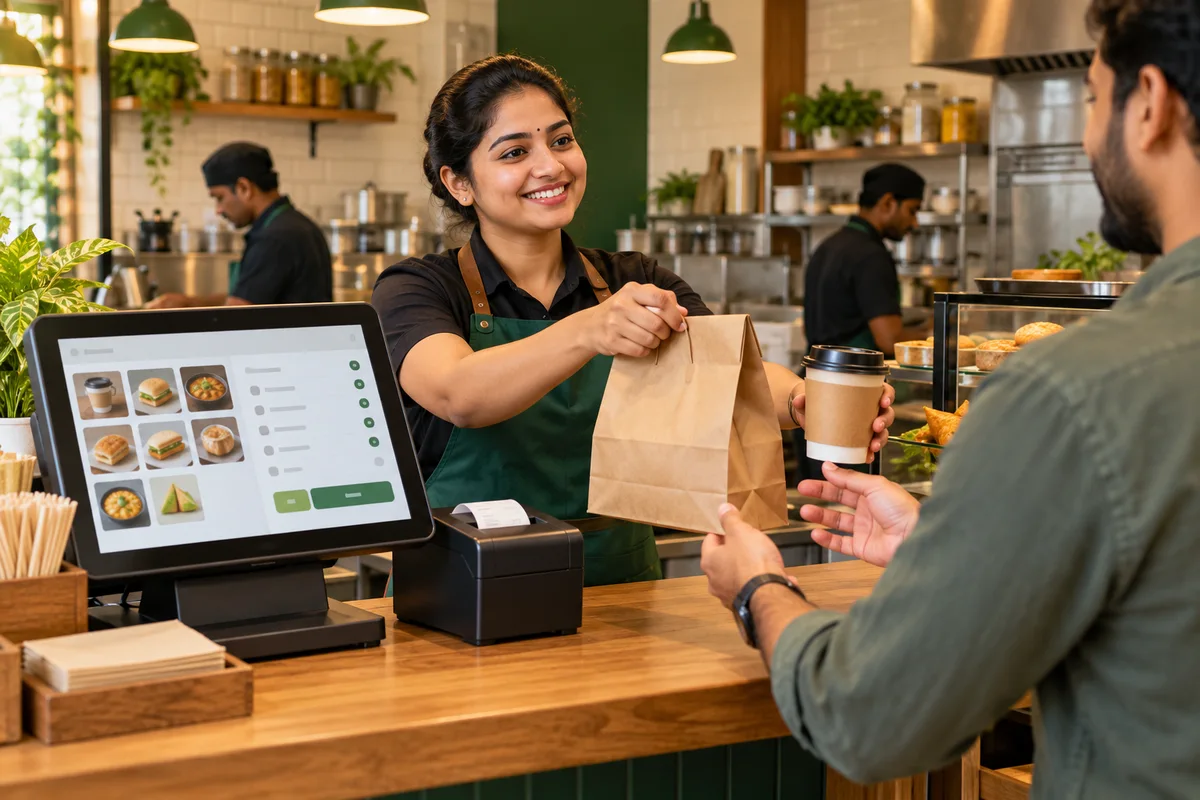 Fast-food restaurants
Support a steady flow of orders for burgers, wraps, snacks, and other quick-service favourites through digital ordering and order management.
Explore solutions for Fast-food restaurants Takeaway counters and QSR outlets
Give customers access to your branded ordering channel while helping staff manage incoming orders, packaging requirements, preparation, and collection.
Explore solutions for Takeaway counters and QSR outletsLearn more about the ordering, kitchen, and pickup workflow.
QR Ordering & Quick Service POS software combines a digital customer ordering channel and staff ordering channel with tools for managing incoming orders and kitchen preparation. It helps quick-service businesses coordinate takeaway orders from submission through collection.
Quick Service POS focuses on takeaway and quick-service workflows, including digital ordering, order status management, preparation, and pickup. Dine-In POS focuses on waiter-led order taking, table management, KOTs, and billing for seated guests.
Menu Zyka's quick-service solution supports a branded takeaway ordering link or QR code, allowing customers to access the enabled ordering experience and submit orders digitally.
Yes. Restaurant staff can take takeaway orders using the restaurant portal or Captain app.
Yes. The supported order lifecycle includes Pending, Accepted, Preparing, Ready, and Collected, allowing your team to update and monitor order progress.
Yes. The quick-service workflow supports KOT routing to help communicate order details to the kitchen. The exact routing behavior depends on your configured setup.
Menu Zyka's takeaway workflow supports minimum order requirements, helping you define the conditions customers must meet before placing an order.
Yes. Packaging charges are supported in the takeaway workflow, allowing you to account for packaging costs according to your configuration.
Menu Zyka supports future pickup scheduling in its quick-service workflow, allowing customers to request collection at a later time.
The solution is designed for cloud kitchens, pizzerias, fast-food restaurants, and takeaway outlets that need digital ordering and organized kitchen-to-pickup operations.
Give customers a convenient digital way to order and help your team manage each order from submission to preparation and collection.
With Menu Zyka QR Ordering & Quick Service POS, bring your ordering channel, kitchen workflow, and pickup process into a more organized system built for quick-service food businesses.
A demo around your takeaway workflow.